Choose your next music-learning step
Start with the person and the goal. A parent planning an offline activity, a beginner exploring a tune and someone practising a DJ join need different routes. Choose one below and return when your interest changes.
I am planning music activities with a child
These routes are offline parent plans. Age bands suggest starting levels, not account eligibility or ability scores.
- Ages 5-7: a four-week music plan, with the activity pack for the individual tasks.
- Ages 8-10: a four-week music plan, with the activity pack for the individual tasks.
- Ages 11-13: a four-week music plan, with the activity pack for the individual tasks.
- Ages 14-17: a four-week music plan, with the activity pack for the individual tasks.
Under-13 accounts are unavailable. Check the family access guide before any separate app activity. The offline plans need no child account.
We are exploring an instrument interest
Choose the sound or musical role that interests the learner. Each guide has an offline task and questions to take to an introductory lesson. Screen exercises do not teach physical instrument technique.
- Piano and keyboard: follow a visible order of notes and choose a tune shape.
- Guitar: explore accompanying words and playing a tune.
- Bass: notice low notes, timing and space.
- Drums: keep a count and change a pattern.
I want to make or produce music
Use the beginner production pathway to connect a beat, balance, arrangement and export. If words are your starting point, choose Write your first chorus under Short courses, then use start with lyrics.
For a small tune, choose Find a little melody and the melody guide. For chords, try Build a backing with chords and the backing guide. These are musical starting points, not physical piano or guitar tuition.
I want to practise DJing
Use the beginner DJ pathway for counting, a first join and a small practice set. The complete two-deck guide uses a computer; check the different phone layout before planning a session.
Find the matching course in the app
Open Hearhood and choose Short courses. Search the exact course title shown in a route, or use the existing Topic and Progress filters. For adult preparation before an offline family session, search Prepare a pulse-and-pattern activity. The app does not currently have an age filter; the age links on this page select offline plans, not account permissions.
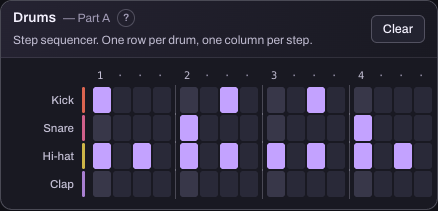
This reused app reference shows a pattern tool. Course practice is separate from your songs, and your progress and practice notes stay in the browser. A course title is not a certificate, a published song or a promise that the real tool is available to every account.
Prefer to watch one task?
Read three short course demonstrations for captioned walkthroughs of the separate practice space. The practice files and walkthroughs page has existing resources for other tasks. Written steps remain available if you prefer not to play a video.
About these routes
Prepared for Hearhood by Scopra with AI assistance. Routes use the published course catalogue checked on 25 October 2026. They group existing learning materials by purpose, not a new enrolment, teaching qualification or instrument assessment.