Watch one small course task, then try it yourself
These walkthroughs show actual controls in the separate Short courses practice space. They use the published course definitions checked on 25 October 2026. The cursor actions and control changes were recorded in an isolated browser. Your songs, account and equipment are not involved.
The videos have computer-generated narration and visible captions. They contain narration only; the app sound was not recorded. Use Listen separately in the app if you want its sound example. The same explanation is written below each video, so watching or listening is optional.
Prepare a rhythm activity
Watch the recorded walkthrough · Download captions.
1. This is a separate practice space for an adult preparing an offline music activity. It does not change a song or create a child account. 2. Choose kick on the numbered beats one, two, three and four. The coloured buttons show where each sound belongs. You can listen separately in the app if you want. 3. Choose Continue, then add snare on numbered beats two and four. Keep the kick pattern in place. We have changed one layer, rather than starting again. 4. Use this as preparation, then return to the paper activity with the learner. This video contains narration only. It does not record the app sound.
Read the offline home activity plan for the separate real-world next step.
Balance a supporting part
Watch the recorded walkthrough · Download captions.
1. This course uses two practice parts. It is separate from your own project. The bass level is the amount of the supporting part, not the listening volume for your device. 2. Lower the bass level in the practice exercise. Follow the visible target on the screen. This target helps you learn the control. It is not a setting for every song. 3. Choose Continue. Mute the bass, then bring it back. In your own work, compare the same short passage before deciding whether the change helps. 4. You can use Listen in the app to hear its example separately. This recorded walkthrough contains narration, not app audio. It has not changed your song.
Read the full first-mix guide for the separate real-world next step.
Try the DJ practice controls
Watch the recorded walkthrough · Download captions.
1. These are practice controls, not your real DJ decks. The crossfader moves the balance from the first example to the second. It does not select the next track for you. 2. Move the crossfader all the way to A, then to B. Watch the position. A crossfade is a change in balance. It does not automatically align two tracks. 3. Choose Continue. Deck A shows one hundred beats per minute. Set deck B to the same speed. Matching speed alone does not fix beat position or musical phrasing. 4. Try the separate sound example in the app if useful. This video contains narration only. For real practice files, follow the full first-transition guide.
Read the full first-transition guide for the separate real-world next step.
Find the same practice space
Open Hearhood and choose Short courses. Search Prepare a pulse-and-pattern activity, Make room in your mix or Try your first DJ blend. The Topic and Progress filters can narrow the catalogue. Video playback does not complete a course or change progress in your browser.
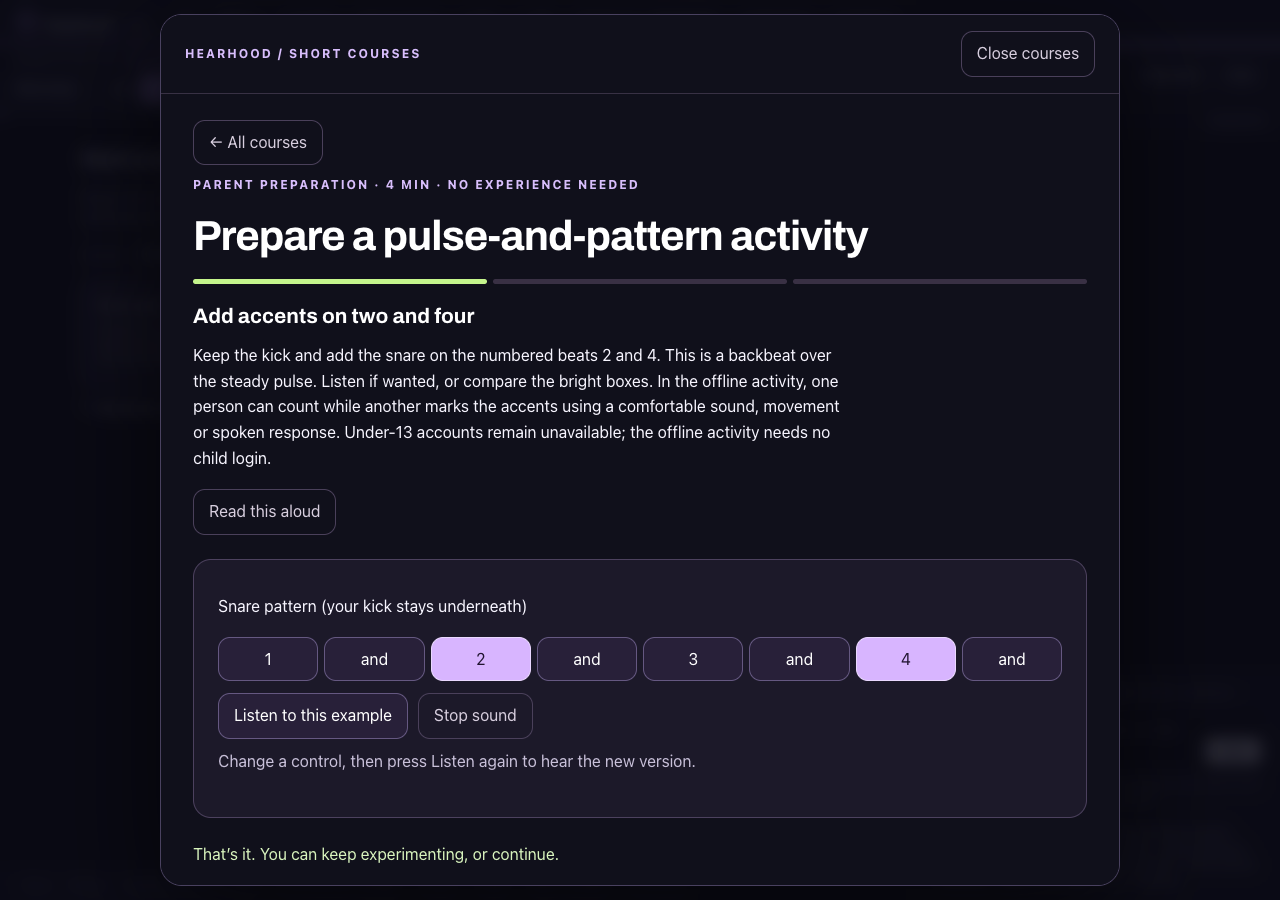
This frame is from the recorded adult preparation exercise. It does not show a child using the service, a saved song or a live class. Under-13 accounts are unavailable. The parent plan's child activities are offline; check family access before a separate app activity.
About these demonstrations
Prepared for Hearhood by Scopra with AI assistance and on-device generated narration. The continuous browser captures were trimmed at the start and end, then combined with narration and captions. No hardware compatibility, app-audio recording, teacher observation or learner result is claimed. The isolated practice project was checked unchanged after each recording.