Why do my lyrics sound awkward when I sing them?
Lyrics can look right on the page and feel crowded when sung. To fit lyrics to a melody, try one short phrase at a time: sing the tune without words, notice its natural accents and pauses, then revise the words around that shape. You can change either the lyric or the melody. You do not have to abandon the whole idea.
Imagine you have a tune you keep humming on the way home. You write a line that says exactly what you mean, but have to rush the last few words. Start by keeping that tune steady and comparing two versions of the line.
1. Find the part that feels uncomfortable
Sing the phrase on “da” first. Then sing the words at the same speed. Where do you run out of space? Is a small word getting a long, important note while the word you care about passes too quickly? Does a word sound as if you are stressing the wrong syllable?
Say the line normally, too. Speech is a useful comparison, although a song can deliberately stretch or shift an accent. The question is whether the result sounds intentional to you.
2. Keep two drafts in Hearhood
Open Workspace, choose Songwriter and open the Lyrics tab below the timeline. In a new song, you can choose Start with drums first if you want a steady backing. If you already have a song, keep using it. There is no need to replace it to try this exercise.
Put the original line and a possible revision in the same lyric box. Here is an original teaching example:
- A: I have been waiting here beside the door
- B: I wait beside the door
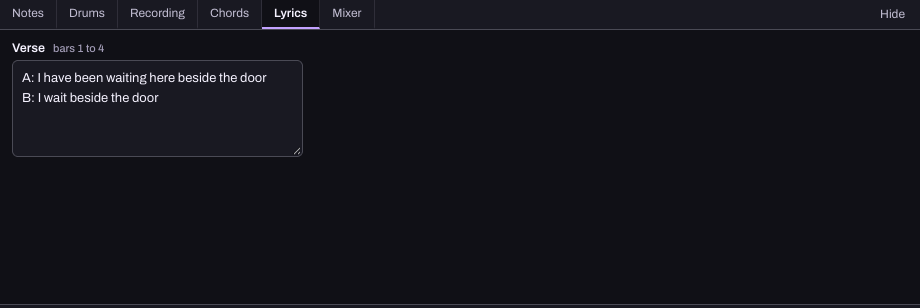
The shorter version leaves more room, but also changes the sense of time. Keep A if that longer wait matters, and try changing the melody's rhythm instead. Fewer words is an experiment, not a rule.
3. Sing both versions over the same pulse
Keep the tempo and backing unchanged for the comparison. Press Play in Songwriter and sing A, then B. The Click control in the top toolbar adds a steady beat if you need one. For a short repeating backing, use the lyrics-and-beat walkthrough.
Listen for three things: whether the important word lands where you want it, whether you can breathe comfortably, and whether the line still means what you intended. Make one change and try again. It is easier to judge a small edit than five changes at once.
If you need to move the melody's notes, the note timing guide separates changing a note's start from changing its length. Typed lyrics do not automatically line up with notes or become a sung vocal in Hearhood.
Do all my lines need the same number of syllables?
No. A syllable can stretch across several notes, and several short syllables can fit within a beat. Matching the syllable count can be a useful starting point when two lines use the same tune, but it does not guarantee that their natural word stresses fit.
Try a line aloud before deciding that its word count is the problem. Leave a rest if the phrase needs air. You do not have to fill every moment with a word.
Should I slow the song down?
You can test a slower tempo with Songwriter's BPM control, but that changes the feel of the whole song. Try a small lyric or rhythm change first if you already like the groove. Berklee's Songwriting Handbook also discusses how tempo affects the space between syllables and the feeling of a song.
Keep a useful result
Finish with one preferred line and one alternative. Save an editable Song file through Export so you can return to the words and notes. Hearhood saves locally in this browser; a downloaded copy protects the draft if browser storage is cleared. See saving and export.
The creative tools used here are free during the current beta and need no account or AI access. The app keeps your drafts together; you decide which performance works.