Check permission before choosing who to credit
Credit tells people who made something. Permission tells you whether you may use and share it in the way you intend. Giving credit alone does not create permission. Start by identifying the material in your song and keeping the relevant licence or agreement beside it.
This is a practical preparation checklist, not a clearance decision for a particular release. The linked licence and the rights holder's agreement control the use; Hearhood does not grant rights to somebody else's music.
1. Separate the song from the recording
A composition and a recording of it are different works. Recording yourself singing a song does not mean you wrote the composition. Likewise, writing a new melody does not grant permission to copy another artist's recorded drums or vocals.
The U.S. Copyright Office's musician guide explains that distinction in its U.S. context. Requirements for a specific release also depend on the relevant country and use. Do not assume an example of one kind of right clears every other right involved.
2. Work through the material you actually used
For your own newly written song and your own recording, note any collaborators and agree what each person contributed. Check outside material too: a backing track, a sample, an instrument library or a borrowed lyric can add separate conditions.
For a sample with a licence, keep the source, creator, licence link and version, and the date you obtained it. Read what the licence permits for your planned sharing and any changes. A free download is a price, not a complete explanation of rights.
For another maker's recording or remix source, keep clear permission that covers what you want to do. Ask again when the proposed use falls outside that permission. A friendly comment or a follow is not a clear agreement about a release.
3. Read the licence's conditions
Creative Commons explains its licence choices. BY requires attribution. NC restricts commercial use. SA requires shared adaptations to use the specified compatible terms. ND restricts sharing adapted material. These conditions can combine, and some uses require additional permissions.
Do not describe a sample as cleared for commercial release simply because its page mentions Creative Commons. Read the exact licence and check that the person offering it controls the material being licensed. Keep the evidence; do not rely on a search result's short description.
4. Write a useful credit
A starting credit record contains the work's title, creator, source link, licence link and a description of your changes. Follow the particular licence's requirements and identify any modifications accurately.
Example to adapt, not a real third-party work: “Practice loop by Example Maker, source link, licence link. Trimmed and repeated in this exercise.” Replace every placeholder with the actual information before sharing. Do not use the example as evidence that you have permission.
Hearhood's Credits and licences identifies instrument libraries that require attribution when releasing music made with those sounds. The Grand piano and Wurlitzer lines deserve attention. An app's credit page does not automatically put those lines into your external release notes.
5. Match the permission to the sharing route
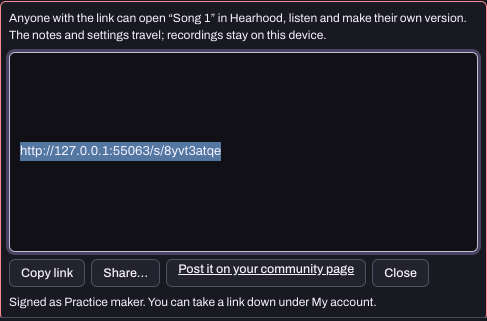
A playable Produce song link can let somebody open an editable copy. Check that the material and your permissions fit that kind of sharing. Recorded takes do not travel with that link. A listening file, an editable remix source and a commercial distribution release are different uses.
Hearhood's current creative and community tools do not provide a licensed commercial catalogue, subscriptions or artist payouts. An internal credit or remix count is not a licence or earnings statement. Share and remix a beat explains the working link behaviour.
Before sharing, answer three questions in your notes: what came from elsewhere, what allows this use, and what credit or other conditions must travel with it? If one answer is missing, resolve it before publishing that version.
A view from the app