Use AI to find a next step, not replace your taste
An AI music assistant can be useful when you know what you want to try but not how to describe it, or when you are looking at a control you have never used. You do not need a long prompt. Begin with the task in front of you.
The creative tools work without AI. The optional assistant needs the account or invite access shown in the app and is for people aged 18 or older (younger people through a parent-controlled account). You can follow the other guides even when its allowance runs out.
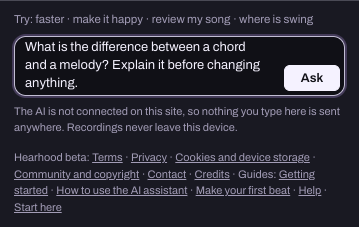
Ask about the task, not the whole song
'Make this better' gives very little direction. Try naming one part and one intention: 'Suggest a way to make the bass less busy.' If you only want advice, add 'Do not change anything yet.' This gives you something specific to consider without handing over the whole project. In Hearhood, a question gets an answer; the assistant changes the song only when you ask it to, and a vague request gets a short question back rather than a rewrite.
- Suggest a way to make the bass less busy. Do not change anything yet.
Say what you want to keep
Your existing idea matters. A request such as 'Keep the drums and melody; suggest a different bass rhythm' tells the assistant where to focus. If you are learning a DJ control, you could say 'Explain the crossfader using the two decks I have loaded.' The assistant knows which tracks are on the decks and where the mixer controls sit; it does not know how the mix sounds.
- Keep the drums and melody; suggest a different bass rhythm.
- Explain the crossfader using the two decks I have loaded.
Turn a suggestion into a listening exercise
Ask 'What should I listen for when I try that?' Then make or apply the supported change and listen yourself. Hearhood's assistant uses project data and settings; it does not hear your audio. Treat its explanation as a direction to explore, rather than a verdict on your music.
Ask for a different explanation
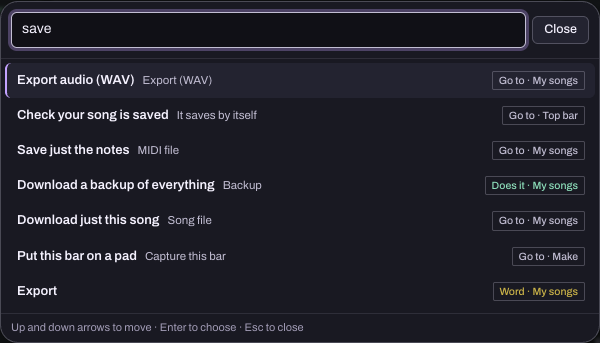
If an answer introduces unfamiliar terms, ask for the one that matters first. 'What does EQ mean here?' is a complete question. You can ask for one action at a time or for a deeper explanation. The useful level of detail can change while you work. The app's Find (Ctrl+K or /) and the Glossary under Learn give short definitions without using the AI.
A short conversation you can try
Start with an intention such as making the bass simpler. Ask: "Suggest one way to simplify the bass rhythm. Do not change anything yet." Read the explanation, then ask what you should listen for. If the idea fits, ask the assistant to apply that specific change while keeping the drums and melody. Play the result and decide whether to keep it.
This is an example of a request sequence, not a transcript of a tested AI reply. The answer and supported action depend on the current project and assistant access. If the assistant cannot apply it, ask where to make the change yourself.
Correct the assistant when needed
Say which part it misunderstood: 'I meant fewer notes, not a quieter sound.' If it suggests a missing feature, ask for an approach using the controls actually available. The assistant cannot record, import, export, add music files or delete anything; it can tell you where the control is and open some sheets for you, and the button press is yours. A useful assistant should acknowledge the limit rather than pretend it completed an action.
Choose the result yourself
You can accept an idea, adapt it or leave it. When the assistant changes the song, the reply lists what changed and Undo under it puts the song back (the newest change, in Make and the Studio; deck changes are not undone). Save a version you want to compare before making larger changes: Download this song or Back up everything in My songs, or the Song file in the Studio's Export sheet. AI suggestions do not by themselves establish ownership, originality or permission to use protected material. Your musical intention, listening and judgement still guide what you keep.