You do not need to know how to prompt
Tell the assistant what you are trying to do. A short sentence is enough to begin. You can ask a question, request a suggestion or ask for a supported change in the workspace you are using. The Assistant panel is in the app; type in the box labelled Ask the assistant and press Ask. Its example text begins "For example: Explain this control". On a phone, open the Assistant tab first.
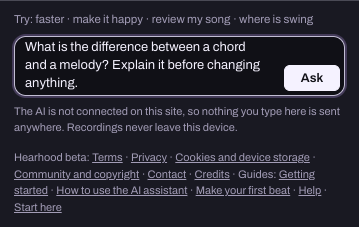
Start with the thing in front of you
Useful questions are often small: 'What does this control do?' or 'How do I make this pattern less busy?' If the assistant has the relevant project information, it can use that context. If it does not, name the part or control you mean.
Three ways to ask
- Explain what the CUE button does. Give me one thing to try.
- Suggest two ways to make this section feel different. Do not change anything yet.
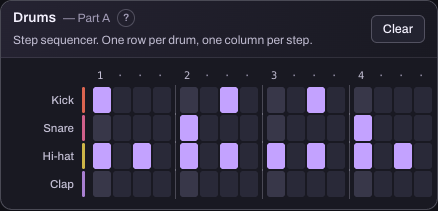
- Simplify the bass pattern and leave the drums unchanged.
The first asks to understand, the second to explore, the third for a supported change. These requests lead to different kinds of help, and you can switch between them whenever you want. When the assistant changes something, its reply lists exactly what changed; the Undo button under that reply puts the song back as it was. Undo covers the newest change in Make and in the Studio. What happens on the DJ decks is not undone, so ask for an explanation first if you are unsure.
A useful request has a goal and a boundary
You can say: 'I want a calmer verse. Suggest one change to the drums, and keep the melody as it is.' The goal tells the assistant what you are aiming for. The boundary tells it what to leave alone. You do not need to know a genre name or a technical description to begin.
If the answer is too technical
Try: 'Explain that using the controls on this screen.' Or: 'Give me one step, then wait.' You can also ask why a change matters: 'What would I listen for after changing this?' Ask for more detail when you want it; a short explanation does not have to be the final one.
If the answer misses what you meant
Keep the part that was useful and correct the rest. For example: 'I meant the bass notes, not their volume.' Or: 'Keep the rhythm. I only want to understand the sound setting.' A correction is part of the conversation, not a sign that you asked badly.
What the assistant knows
The assistant works from the project, deck, equipment or settings information that Hearhood supplies for that feature: tempo, key, which steps and notes are on, deck and mixer positions, the names of tracks in your library, the equipment you named. It does not hear your audio, and your recordings and music files never leave your device. It can explain why two parts might compete or what an EQ control changes, but it cannot truthfully say it listened to your mix and judged the sound. If it ever claims to have heard something, treat that as a mistake.
Your messages and that description of the song (not audio) go to the Hearhood server and on to Anthropic's API; the app shows this notice before your first message, and the privacy notice explains what is kept and for how long.
Access and allowance
Community posting and direct messages need a free account. The optional assistant needs an account (create one at the top of the Assistant panel) or an invite code, and is for people aged 18 or older (an account made by a parent can use it only when the parent allows). The panel shows how many messages are left, for example "AI connected · 3 messages left". When the allowance is used up, or the assistant is unavailable, the creative tools, local saving and export keep working; the panel still answers a few simple things on its own, such as changing the tempo or looking up a word.
You stay responsible for what you keep
Suggestions are options. Listen to changes, compare with your earlier version and keep what fits your intention. AI output is not a guarantee of originality or permission to use somebody else's music. You can continue making music without using the assistant.