Use separate parts of a track in a DJ mix
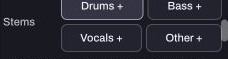
Stems are separate audio parts of a piece of music, such as drums, bass, vocals and other instruments. Hearhood can play supported stem files that you already have. It does not separate an ordinary stereo song into those parts itself.
Check the files you are bringing in
Use files you are entitled to use and keep their originals. Stems intended to play together should share the same musical start and timing. If the vocal starts several seconds later in its file, simply loading it beside the drums will not make it line up.
An exported Studio track and a separated part of a finished commercial recording are different kinds of source material. Neither filename alone proves what is inside.
Attach stems to the track
In the full computer DJ layout, open the track's Info and then Stems to add the separate files. Hearhood also recognises supported matching names, such as “Song - Drums.wav” beside “Song.mp3”, when they are brought in together. Use the Info controls if automatic matching is unclear.
Keep the main track name and the stem assignments straight. Do not assume a file called “Other” contains the same instruments in every release.
Compare one part at a time
A track with stems shows part controls on the deck. Try turning the vocal part off, then back on, while leaving the others unchanged. Listen for missing material or doubled sound before using the result in a transition.
Reducing the Mid EQ on a stereo track is different: it changes a frequency band and cannot reliably isolate only a singer. The vocal-clash guide explains that distinction.
Keep expectations and backups clear
Stem playback depends on your browser, files and computer. It is worth testing at a low listening level before a set. Account sync does not carry the DJ audio files to another device, so retain the actual music and stem files yourself.
This exercise can stop at a private comparison of one part on and off. It does not require a public upload or establish permission to release a new recording.