Find a music event without guessing what the listing means
Hearhood’s Events page helps you narrow music listings by date, place and event details. A listing is a starting point for checking an event. It is not proof that tickets remain available or that the schedule cannot change.
Start with a place and a date
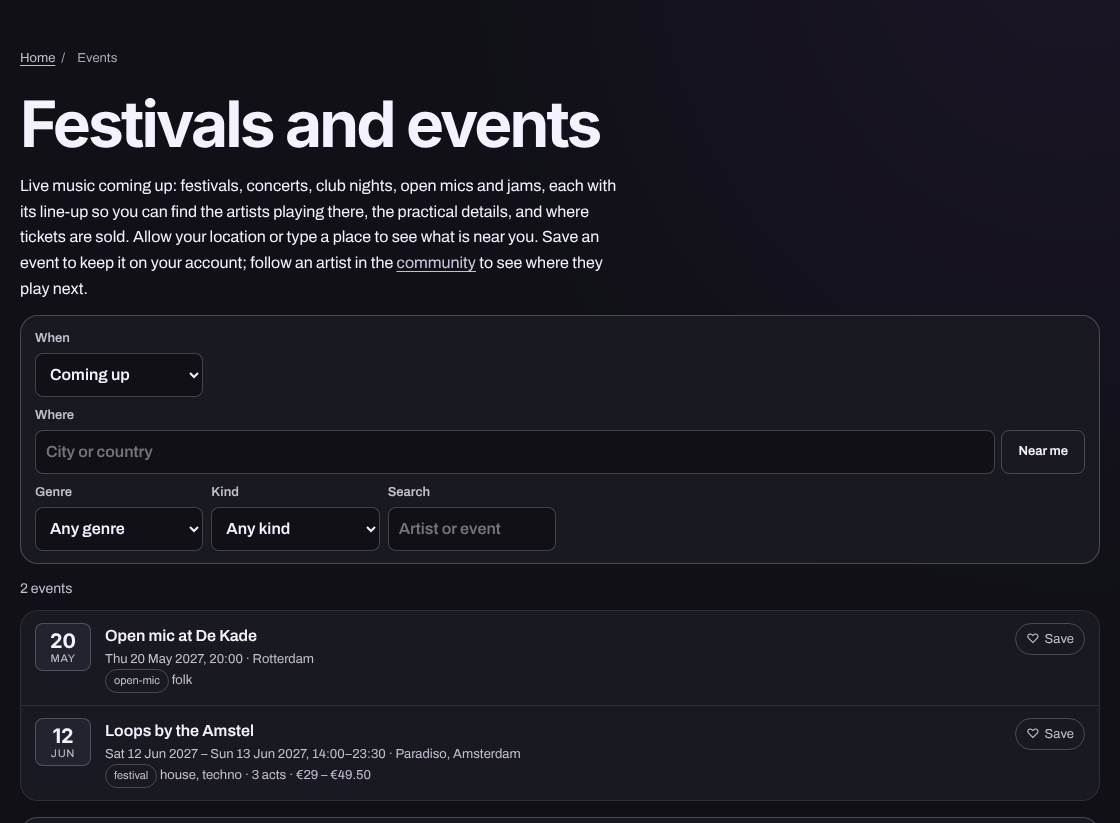
Open Events. Use a town or city you are interested in, then narrow the dates. You can enter a place yourself; you do not need to grant access to your device location just to start looking. If a genre or event-type filter is offered, add one after checking the broader results. Too many filters at once can hide useful options.
Try this simple search plan: choose your city, look at the next weekend, then compare two listings. This is a planning example, not a claim that either event is currently listed.
Read the whole event card
Check the artist, venue, local date and time, location, and the source of the information. Similar artist names and repeated tour dates can be easy to mix up. Open the organiser or ticket provider’s page before travelling or spending money. Check entry conditions, accessibility arrangements and any age restrictions directly with that provider.
If saving an event or following an artist is available to your account, use it to keep a shortlist. A saved event is not a reservation. Do not assume that saving means reminders are enabled; check the actual notification settings separately.
What if there are no results?
An empty result does not mean no music is happening nearby. Widen your date range, remove a genre filter or try a nearby town. The catalogue may not yet include the event you want. Hearhood should show that honestly rather than fill the page with invented activity.
Before you leave
Recheck the venue’s latest information. Event details can change after a listing is saved. For ticket links and sponsored cards, read what event links mean.
Quick answers
Does saving an event buy a ticket? No. It keeps a reference to the event.
Does no result mean there are no local events? No. It only describes the results returned for those filters.
Who confirms the final details? Check the organiser, venue and ticket provider named in the listing.